SSD Thermal Throttling: The Silent Speed Killer

Your drive could be failing right now — silently.
NVMe and SSD failures rarely announce themselves. SMART data degrades for weeks before the crash. GGFix reads these signals 24/7 and alerts you while there's still time to back up and replace.
Start 3-Day Free TrialNo card requiredEveryone watches CPU and GPU temperatures. Almost nobody watches disk temperatures. This is one of the most overlooked aspects of hardware monitoring — and one of the easiest problems to prevent.
In our monitoring data across hundreds of machines, SSD thermal throttling is the single most common undiagnosed performance issue. We've seen entire video editing teams lose hours per week to throttled scratch disks without anyone realizing the cause. Modern NVMe SSDs are fast — but they're also hot. And when they get too hot, they throttle dramatically.
The Hidden Performance Killer
NVMe SSDs like the Samsung 990 Pro, WD Black SN850X, and Crucial T500 can reach sustained sequential read speeds of 7,000+ MB/s. But that's only when they're running cool. Tom's Hardware regularly benchmarks SSD thermal performance, and the results show dramatic speed drops under sustained heat.
At 70°C, most NVMe SSDs begin thermal throttling — reducing speeds to prevent damage. The performance drop is dramatic:
| Temperature | Typical Sequential Read |
|---|---|
| < 50°C | 7,000 MB/s (full speed) |
| 50-60°C | 6,500 MB/s (minor impact) |
| 60-70°C | 5,000 MB/s (noticeable slowdown) |
| 70-80°C | 1,500-2,000 MB/s (severe throttling) |
| 80°C+ | 500 MB/s or less (critical throttle) |
That's an 80%+ performance drop — and the user just thinks "my computer feels slow today."
Why SSDs Run Hot
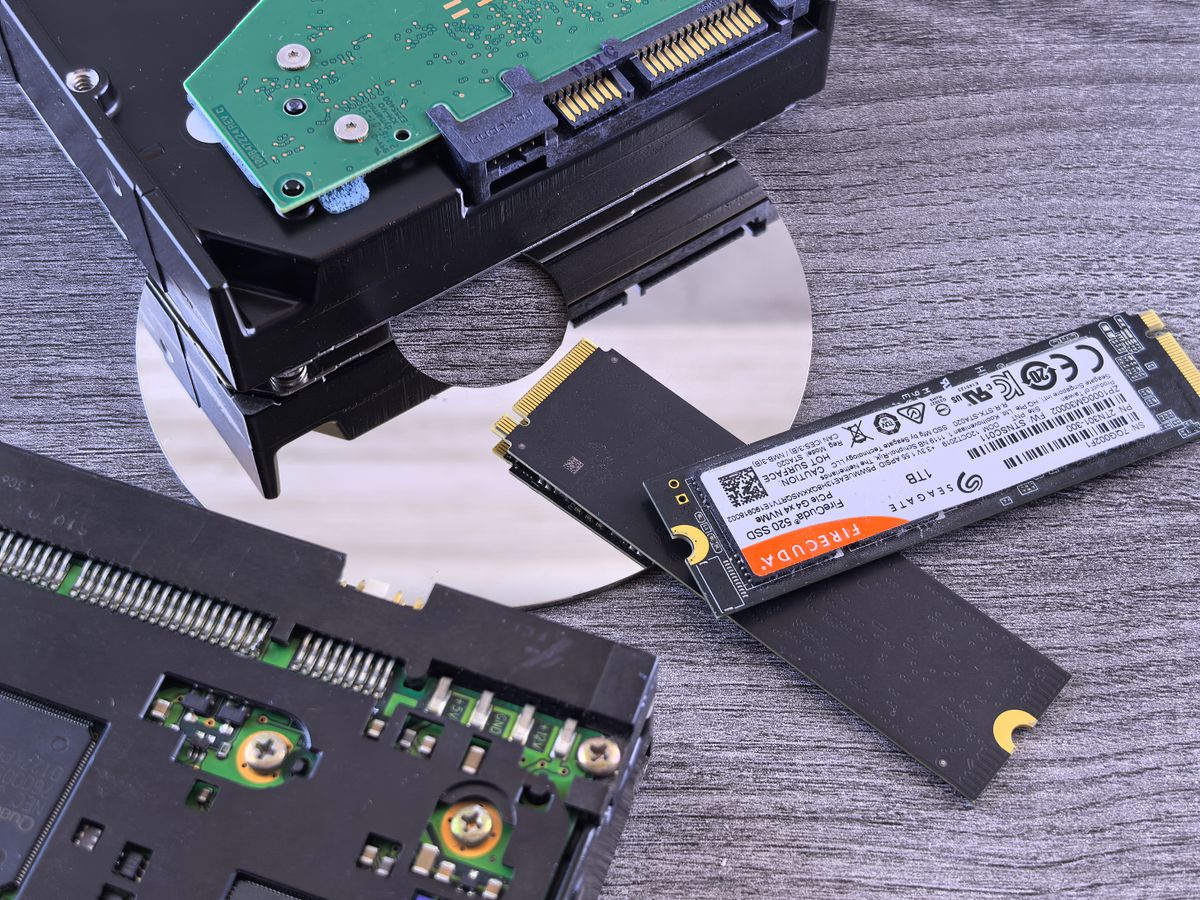
NVMe SSDs connect directly to the PCIe bus, right next to the CPU and GPU. In a workstation under load:
- Heat soak from GPU — The GPU backplate radiates heat directly onto the M.2 slot below it
- Restricted airflow — M.2 slots are tucked between components with minimal airflow
- No active cooling — Most M.2 slots rely on a small heatsink or the motherboard's built-in heat spreader
- Sustained writes — Video editing scratch disks, 3D render caches, and database operations create sustained thermal load
Real Impact: A Video Editing Workflow
An editor working with 4K ProRes footage in a creative studio:
- Import + transcode: Heavy write operations heat the SSD to 65°C
- Timeline editing: Light reads, SSD cools to 50°C
- Final export: Heavy sustained read + write, SSD climbs to 72°C
- At 72°C: SSD throttles. Export that should take 20 minutes now takes 45 minutes.
The editor doesn't know the SSD is throttling. They just see a progress bar moving slowly and assume "it's a big file."
Multiply this across a team of 5 editors, every day, for a year. The accumulated lost time is enormous.
How to Fix SSD Thermal Throttling
- Add a heatsink — Even a basic aluminum M.2 heatsink drops temps 10-15°C. Heatsinks with heat pipes can drop temps 20°C or more. This is the single highest-impact fix. If you are in Copenhagen and want it done for you, our SSD upgrade and installation service can fit a heatsink or move the drive to a cooler slot.
- Move the SSD — If your motherboard has multiple M.2 slots, use the one farthest from the GPU. The slot directly under the GPU backplate is the hottest spot in any system.
- Improve case airflow — A single 120mm fan directing air over the M.2 area makes a measurable difference.
- Check for PCIe Gen 5 firmware updates — If you have a Gen 5 SSD with a Phison E26 controller, check for firmware updates. Early firmware versions crashed instead of throttling gracefully.
- Set up disk temperature monitoring — You can't fix what you can't see. Monitoring tools should set warning thresholds at 45°C and critical at 55°C — deliberately lower than the throttle point because the goal is to prevent throttling, not detect it after performance has already dropped. This is the core principle of predictive maintenance — act on trends, not failures. GGFix monitors disk temperatures across every machine in your fleet and alerts when temperatures climb over days or weeks, before users notice any slowdown.
Frequently Asked Questions
Q: At what temperature do NVMe SSDs start throttling?
Most NVMe SSDs begin thermal throttling at 70°C, with severe performance degradation above 80°C. The exact threshold varies by manufacturer — Samsung drives typically throttle at 70°C, while some WD Black models hold out to 75°C. Check your specific model's datasheet for exact limits.
Q: Can SSD overheating cause data loss?
Thermal throttling itself does not cause data loss — it's a protective mechanism that reduces speed to prevent damage. However, if an SSD reaches extreme temperatures (above 100°C) due to a system cooling failure, it can cause write errors or accelerate NAND flash wear. Consistent high temperatures also shorten the overall lifespan of the drive.
Q: Does adding a heatsink to an M.2 SSD really help?
Yes, significantly. A basic aluminum M.2 heatsink typically reduces temperatures by 10-15°C under sustained load. Many modern motherboards include built-in M.2 heatsinks, but aftermarket options often perform better.
Q: Why is my SSD slow even though my CPU and GPU temperatures are fine?
SSD thermal throttling is invisible to most monitoring tools. Your CPU and GPU can be running cool while the SSD — sandwiched between hot components with no airflow — is throttling at 75°C. This is why comprehensive hardware monitoring that includes disk temperatures is essential. GGFix monitors SSD temperatures alongside CPU, GPU, VRM, and fan sensors — an SSD throttling at 73°C shows up as a trend alert before users notice any slowdown, because the temperature rise typically develops over days, not hours.
Q: Are PCIe Gen 5 SSDs more likely to overheat than Gen 4?
Yes. PCIe Gen 5 SSDs consume roughly 10-14W compared to 5-7W for Gen 4 drives. Several Gen 5 models using the Phison E26 controller were found to crash and shut down instead of throttling when running without a heatsink. A heatsink is effectively mandatory for any Gen 5 NVMe drive.
Is your drive showing early failure signs right now?
GGFix reads SMART data continuously and alerts you weeks before data loss — with the specific attribute (reallocated sectors, wear level, health %) named in plain English.
- 3-day free trial — no credit card, 1 machine included
- Installs silently as a Windows Service (2 minutes)
- 50+ sensors + top 25 processes monitored every minute
- Auto-decodes BSODs and Event IDs 41 / 1001 / 219 / WHEA
- AI names the exact app that caused any crash or spike
- Telegram or email alerts in under 10 seconds
| Scenario | Typical cost (USD) |
|---|---|
| Professional data recovery (failed drive) | $500 – $2,500 |
| Emergency workstation replacement | $1,500 – $4,000 |
| Lost project / missed deadline (1 person) | $300 – $1,500 |
| Drive replacement (when warned early) | $80 – $300 |
| GGFix monitoring (per machine / month) | $20 |
| GGFix monitoring (per machine / year — 2 months free) | $200 |
Early warning is the cheapest insurance you can buy. GGFix catches problems when the fix is still cheap — and names the exact app, sensor, or BSOD code responsible.
On-site PC & laptop repair · Copenhagen
In Copenhagen with this exact problem? GGFix fixes it hands-on — often cheaper than replacing the machine.
Fixed prices from 399 DKK for SSD upgrades and data migration, all brands, on-site or drop-off in Ishøj — with an honest diagnosis before you commit to anything.
See SSD upgrades and data migration pricesGGFix Technical Team
Writing about hardware monitoring, fleet management, and keeping machines alive. Powered by GGFix.
Related Articles
Telegram Hardware Alerts: Setup, Sample Workflows, and What Good Notifications Actually Look Like
Why Telegram has quietly become the best channel for PC hardware alerts, what a useful alert message actually contains, and a step-by-step setup walkthrough you can copy.
How to Detect a Memory Leak on Windows (And Find Which App Is Leaking)
Windows does not warn you about memory leaks until they crash your PC. Here is how leaks behave, why Task Manager misses them, and how to find which exact application is leaking RAM in real time.
10 Reasons Your PC Is Slow (And How to Fix Each One)
Your PC is slow but Task Manager shows nothing wrong. The real causes — thermal throttling, SSD degradation, silent hardware failure — hide below the surface. Here are the 10 actual reasons and sensor-based fixes most guides miss.
[ free 3-day trial · no credit card ]
Know before it breaks.
GGFix installs in 2 minutes and starts watching your hardware immediately — CPU temps, GPU load, disk health, fan speeds, and 50+ sensors. AI tells you what's wrong before it causes damage.