Predictive Maintenance for IT: Stop Fixing, Start Preventing
One offline machine during a deadline costs more than a year of monitoring.
With a fleet you can't physically check every machine every day, and most RMMs show 'online' right up until the moment a workstation blue-screens from thermal shutdown. GGFix watches the hardware layer — sensors, processes, BSODs decoded into plain English — and pushes alerts to whoever is on-call. Whether you have 3 machines or 300.
Start 3-Day Free TrialNo card requiredPredictive maintenance for IT reduces unplanned downtime by 30–50%, cuts maintenance costs by up to 40% compared to reactive approaches, and delivers ROI of 10
to 30 within 12–18 months. Those numbers come from McKinsey research applied across industrial and IT contexts. The gap between reactive and predictive IT is not small — it is the difference between a technician who fixes things and a system that prevents things from breaking.This guide covers how predictive maintenance works in practice for Windows PC fleets, what data to collect, which failure patterns to watch for, and how to build a system that catches problems weeks before users notice them. For the broader fleet management framework this fits into, start with our PC fleet management guide.
Reactive vs. Preventive vs. Predictive: What's the Actual Difference?
These three maintenance strategies are often conflated. They are fundamentally different in cost, timing, and effectiveness.
Reactive maintenance means fixing things after they fail. A machine shuts down, a user calls, a technician responds. No prediction, no pattern recognition, maximum disruption. This is how most small IT teams operate by default.
Preventive maintenance means performing scheduled interventions regardless of actual machine condition — replacing thermal paste every 24 months, cleaning dust filters quarterly, replacing drives at 5 years. Better than reactive, but wasteful: you replace parts that didn't need replacing and miss failures that happen between scheduled intervals.
Predictive maintenance means monitoring real hardware data continuously and intervening only when sensor readings indicate an actual developing problem. A drive whose SMART health score drops from 95% to 82% in 30 days needs attention. A machine whose CPU load temperature has climbed 8°C over 60 days without workload change has accumulating dust or degrading thermal paste. A fan whose RPM has dropped 15% from its established baseline has a bearing beginning to fail.
| Approach | Timing | Cost vs. Reactive | Downtime Impact |
|---|---|---|---|
| Reactive | After failure | Baseline (highest) | Full unplanned downtime |
| Preventive | Fixed schedule | ~10–20% lower | Planned downtime only |
| Predictive | Based on sensor data | 30–40% lower | Minimal — fix before failure |
McKinsey's analysis shows predictive maintenance cuts maintenance costs 20–30% versus preventive schedules, and reduces equipment breakdowns by nearly 70%. The IT application of this data is direct: a fleet running continuous hardware sensor monitoring with AI anomaly detection achieves the same result at the component level that industrial predictive maintenance achieves at the machine level.
What Predictive Maintenance Actually Monitors
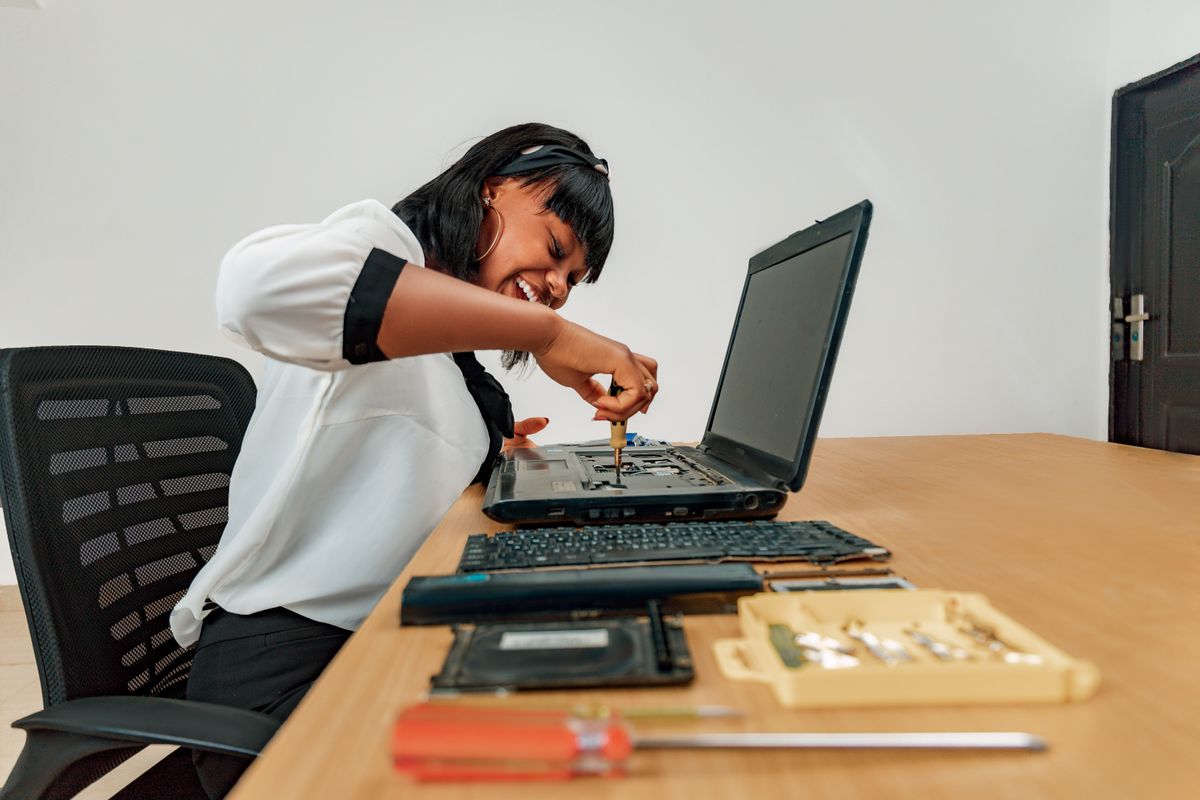
Predictive maintenance is only as good as the sensor data it uses. For Windows PC fleets, the highest-value signals are:
Temperature Trends (Not Point-in-Time Readings)
A CPU running at 82°C under load is a data point. A CPU that ran at 72°C six weeks ago and now consistently hits 82°C under the same workload is a trend — and that trend tells you the cooling system is degrading. Dust is accumulating, thermal paste is drying, or the fan bearing is weakening.
The Arrhenius equation describes why this matters at the hardware level: every 10°C rise in operating temperature roughly doubles the chemical reaction rate in semiconductor materials, accelerating aging and failure. A workstation running 10°C hotter than its design operating point doesn’t fail 10% faster — it fails approximately twice as fast over time.
This is why point-in-time temperature checks miss the problem entirely. The machine looks fine today. The trend shows it will not be fine in 6 weeks.
SSD Health Percentage
Modern SSDs report a SMART health percentage that accounts for write endurance, reallocated sectors, uncorrectable errors, and wear leveling status. A drive at 95% health today may be at 85% in 30 days — or it may stay at 95% for 3 more years. Monitoring the rate of change, not just the current value, is what gives you advance warning.
Backblaze’s 2024 annual drive report tracked 298,954 drives and found an overall annualized failure rate (AFR) of 1.57% — dropping to 1.36% by Q2 2025. That sounds low until you manage 200 machines: at 1.5% AFR, you statistically expect 3 drive failures per year. Without monitoring, all 3 are surprises. With health trending, at least 2 of those 3 will show SMART deterioration weeks before failure.
Fan RPM Trends
Fan bearings fail gradually before they fail completely. The pattern is a slow, steady RPM decline over weeks or months as the bearing degrades — before any noise, before any overheating, before any user-visible symptom. A fan that ran at 1,800 RPM at idle 3 months ago and now runs at 1,520 RPM under the same conditions has lost 16% of its airflow capacity. That shortfall shows up as rising CPU temperatures, which shows up as thermal throttling, which the user eventually notices as sluggish performance.
An automated system monitoring RPM trends catches this at the 10% decline stage. A technician doing a quarterly manual check might catch it at the 40% decline stage — if they happen to check the right sensor.
VRM Temperature
Voltage regulator modules on the motherboard are the most overlooked failure point in workstation maintenance. They run 10–15°C hotter than the CPU by design and are directly in the path of CPU failure — a VRM that fails takes the CPU with it, and often the motherboard. Puget Systems’ failure rate data shows motherboards failing at 5.5% overall, the highest rate of any core component — and VRM stress under sustained high-load workloads is a primary contributor.
VRM temperature above 85°C sustained is a warning sign. Above 100°C, the VRM is operating beyond its comfortable design range. Monitoring this sensor costs nothing. Replacing a motherboard costs 1,500–4,000 DKK plus the downtime.
The Hardware Failure Patterns Predictive Maintenance Catches
After monitoring data across hundreds of workstations, certain failure signatures repeat with high consistency:
Pattern 1: The 60-day thermal creep CPU load temperature rising 1–2°C per week for 6–8 weeks, with no change in workload or ambient temperature. Cause: dust accumulation in heatsink fins or thermal paste beginning to dry. Intervention: compressed air clean or repaste. Cost: 15 minutes. If missed: thermal throttling, potential shutdown under load, accelerated aging of CPU and surrounding components.
Pattern 2: The SSD cliff approach Drive health stable at 90%+ for months, then dropping 3–5% per week. Cause: intensive write workloads exhausting the remaining write endurance budget. Intervention: backup and schedule replacement before health reaches 60%. Cost: scheduled maintenance window. If missed: sudden unreadable drive, data recovery required (500–2,000 USD, no guarantee of success).
Pattern 3: The silent fan failure Fan RPM declining steadily over 8–12 weeks with accompanying CPU temperature rise. Cause: bearing degradation. Intervention: replace the fan (50–150 USD part, 30-minute repair). If missed: fan seizes, CPU hits thermal shutdown, machine goes offline mid-workday.
Pattern 4: The VRM heat accumulation VRM temperature rising in parallel with increased sustained CPU load — a machine that recently moved to heavier workloads (video encoding, data processing, 3D rendering) without adequate case airflow for the new thermal envelope. Intervention: add a case fan or reduce CPU sustained load limit. If missed: VRM failure, motherboard replacement.
In our monitoring data across fleet deployments, Pattern 1 (thermal creep) is by far the most common — present in roughly 20–25% of machines older than 18 months that haven’t had preventive maintenance. Pattern 3 (fan failure) is the most dangerous in terms of speed: a bearing can go from “slow decline” to “seized” in 48 hours once it reaches the final degradation stage.
Building a Predictive Maintenance System for Your Fleet
A functional predictive maintenance system for Windows PC fleets has four components:
1. Continuous Sensor Collection
Data must be collected continuously — not on-demand, not weekly. Hardware events happen between check intervals. A CPU thermal spike at 2 AM that triggers an automatic shutdown and restart leaves no trace in a weekly manual check. Continuous collection at 60-second intervals captures these events and builds the trend data that pattern recognition requires.
The agent layer needs to be completely invisible to end users: no performance impact, no UI, no interaction required. A background Windows service that reads hardware sensors and uploads aggregated telemetry is the right architecture.
2. Baseline Establishment
The first 72 hours of monitoring any machine should establish its individual baseline — not compare it to generic temperature specs. A workstation under a desk in a warm office runs at a different baseline than the same model in a server room. Alert thresholds calibrated to hardware specs alone generate false positives constantly.
Effective predictive maintenance alerts on deviation from individual machine baseline, not on crossing absolute temperature thresholds. A machine that normally runs at 80°C CPU load temperature alerting when it hits 87°C is signal. The same threshold on a machine that normally runs at 65°C is a serious warning at 72°C — well below where the generic threshold would fire.
3. Trend Analysis and Anomaly Detection
Raw sensor data becomes predictive maintenance when you analyze the rate of change over time, not the instantaneous value. A temperature reading means little. A temperature trend that has risen 8°C in 45 days with a consistent slope means a technician needs to schedule maintenance within the next 30 days before the threshold is crossed.
This is where AI-powered monitoring separates from threshold-based monitoring. A static threshold fires when a value crosses a line. An AI analyzing trends detects that the slope of temperature increase over 6 weeks matches the pattern of dust accumulation in 78% of cases where that pattern appeared in historical data — and fires the alert 3 weeks earlier, before the threshold is approached.
Tools like GGFix use Claude AI to analyze sensor patterns across each machine’s history, distinguish genuine deterioration trends from normal workload variance, and generate maintenance alerts with a specific recommended action — not just "temperature is high" but "CPU temperatures have increased 9°C over 50 days; recommend heatsink cleaning and thermal paste inspection."
4. Automated Alert Routing and Work Order Generation
A predictive alert that sits in a dashboard until someone checks it is not predictive maintenance — it is deferred reactive maintenance. Alerts need to reach the responsible technician immediately and automatically, with enough context to act without additional investigation.
The alert should contain: which machine, what pattern was detected, what the recommended action is, and what the estimated time-to-failure is if the issue is not addressed. A technician receiving “Machine: STUDIO-WS-04 | Pattern: CPU temperature trend +11°C over 55 days | Action: heatsink clean + paste | Urgency: within 14 days” can schedule that maintenance in their next site visit without any additional diagnostic work.
For the specifics of how to integrate hardware monitoring alerts into an MSP workflow, see our remote hardware monitoring for MSPs guide.
The ROI of Predictive Maintenance for IT
The business case for predictive maintenance is easier to make than most IT managers expect, because the cost of reactive failure is easy to quantify and the cost of monitoring is fixed and low.
Average cost of an unplanned workstation failure (including emergency technician visit, replacement parts, data recovery if needed, and user downtime at loaded labor cost for a knowledge worker): 3,000–8,000 USD per incident. For a 50-machine fleet, even a 2% annual failure rate means 1 unexpected failure per year — costing 3,000–8,000 USD.
Cost of continuous monitoring: At $13/machine/month, a 50-machine fleet costs $650/month or $7,800/year. One prevented failure pays for more than a year of monitoring on the entire fleet.
The multiplier effect: Monitoring doesn’t just prevent catastrophic failures. It reduces the frequency of performance-degrading thermal throttling (which reduces productivity), extends component lifespan by 20–40% through early intervention, and reduces total maintenance labor by eliminating emergency calls in favor of planned maintenance visits.
For the full cost breakdown and case studies, our hidden costs of not monitoring hardware guide runs the numbers across several fleet sizes.
MSPs who deploy predictive monitoring consistently report 70% fewer hardware-related incidents at client sites and 40% faster resolution times when issues do occur — because the monitoring data tells them exactly what is wrong before they arrive on-site. One MSP with 200 endpoints under monitoring reported a 40% reduction in hardware-related support tickets within the first quarter of deployment.
Frequently Asked Questions
Q: What is predictive maintenance in IT?
Predictive maintenance in IT is the practice of continuously monitoring hardware sensor data — temperatures, fan RPMs, SSD health, power delivery metrics — and using that data to identify deteriorating components before they fail. Unlike preventive maintenance (scheduled regardless of condition) or reactive maintenance (after failure), predictive maintenance intervenes only when sensor trends indicate an actual developing problem, minimizing both unnecessary maintenance and unplanned downtime.
Q: How much does predictive maintenance reduce IT downtime?
Studies across industrial and IT contexts consistently show 30–50% reduction in unplanned downtime with predictive maintenance versus reactive approaches. MSPs deploying hardware monitoring with trend-based alerting report 70% fewer hardware incidents at client sites. The reduction is highest for thermal and drive failures, which are the two most common hardware failure categories in Windows PC fleets.
Q: What hardware sensors matter most for predictive maintenance?
In order of predictive value for PC fleet maintenance: (1) SSD SMART health percentage and temperature, (2) CPU temperature trend over time, (3) fan RPM trend over time, (4) GPU temperature trend, (5) VRM temperature. Point-in-time readings matter less than rate of change over days and weeks. A temperature reading at 78°C tells you little; a temperature that has risen from 68°C to 78°C over 45 days tells you maintenance is needed within 30 days.
Q: How is predictive maintenance different from just setting temperature alerts?
Static temperature alerts fire when a value crosses a threshold — they have no memory of what was normal for that machine and no awareness of trends. Predictive maintenance detects the rate of change toward a failure condition, which fires weeks earlier and with far fewer false positives. A machine that normally runs at 80°C CPU load temperature would not trigger a static alert at 83°C, but a trend-based system detects that the temperature has risen 3°C over 30 days with a consistent slope and schedules maintenance before the threshold is reached.
Q: What is a realistic ROI for hardware monitoring in a small fleet?
For a 10-machine fleet paying $130/month for monitoring ($1,560/year): if monitoring prevents one unplanned hardware failure per year — conservative at a 2–3% annual incident rate across 10 machines — the avoided cost is 3,000–8,000 USD versus $1,560 spent. That is a 2
to 5 ROI before counting the productivity cost of downtime. For larger fleets, the ROI scales: MSPs consistently report 10 ROI or higher within the first 12 months of deployment.Q: Can predictive maintenance work on a 10-machine fleet, or is it only for large fleets?
Predictive maintenance is more impactful at scale but delivers ROI at any fleet size. A 10-machine creative studio losing one workstation for two days to an unexpected GPU failure — including emergency technician, replacement, and missed client deadlines — can easily exceed $5,000 in total cost. At $13/machine/month, monitoring all 10 machines costs $130/month. Any single prevented failure pays for 3+ years of monitoring on the entire studio.
Stop checking machines manually. Watch all of them at once.
GGFix gives you a single dashboard for your entire fleet — sensors, processes, and decoded BSODs across every machine — with AI-powered alerts that push to Telegram or your PSA webhook.
- 3-day free trial — no credit card, 1 machine included
- Installs silently as a Windows Service (2 minutes)
- 50+ sensors + top 25 processes monitored every minute
- Auto-decodes BSODs and Event IDs 41 / 1001 / 219 / WHEA
- AI names the exact app that caused any crash or spike
- Telegram or email alerts in under 10 seconds
| Scenario | Typical cost (USD) |
|---|---|
| Render farm down during production deadline | $1,500 – $7,000 |
| IT consultant (reactive emergency response) | $250 – $600/day |
| Hardware failure across 5 machines (avg) | $1,200 – $4,500 |
| Emergency after-hours technician callouts | $200 – $600 |
| GGFix monitoring (per machine / month) | $20 |
| GGFix monitoring (per machine / year — 2 months free) | $200 |
Early warning is the cheapest insurance you can buy. GGFix catches problems when the fix is still cheap — and names the exact app, sensor, or BSOD code responsible.
On-site PC & laptop repair · Copenhagen
In Copenhagen with this exact problem? GGFix fixes it hands-on — often cheaper than replacing the machine.
Fixed prices from 399 DKK for on-site PC and laptop repair, all brands, on-site or drop-off in Ishøj — with an honest diagnosis before you commit to anything.
See on-site PC and laptop repair pricesGGFix Technical Team
Writing about hardware monitoring, fleet management, and keeping machines alive. Powered by GGFix.
[ free 3-day trial · no credit card ]
Know before it breaks.
GGFix installs in 2 minutes and starts watching your hardware immediately — CPU temps, GPU load, disk health, fan speeds, and 50+ sensors. AI tells you what's wrong before it causes damage.