Managing 50+ PCs: The Monitoring Stack That Scales
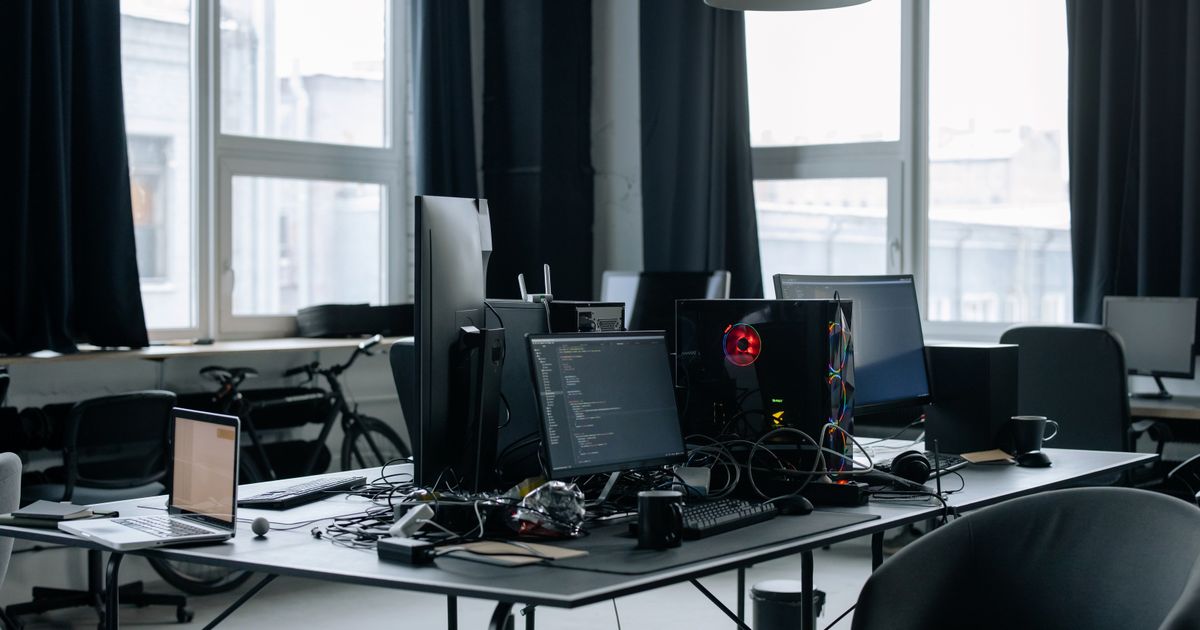
One offline machine during a deadline costs more than a year of monitoring.
With a fleet you can't physically check every machine every day, and most RMMs show 'online' right up until the moment a workstation blue-screens from thermal shutdown. GGFix watches the hardware layer — sensors, processes, BSODs decoded into plain English — and pushes alerts to whoever is on-call. Whether you have 3 machines or 300.
Start 3-Day Free TrialNo card requiredManaging 50 PCs manually — checking health, responding to tickets, investigating performance complaints — consumes roughly 8 hours of technician time per week just in reactive work. At 200 machines, that number is 33 hours. Neither is sustainable, and neither is necessary. The IT teams that manage 500+ machines with the same headcount as teams managing 50 are not working harder. They have a different stack. This guide covers exactly what that stack looks like, what it costs, and how to build it.
For the foundational framework this fits into, see our PC fleet management guide.
Why Manual Management Breaks at 50 Machines
The 50-machine threshold is where manual IT management transitions from inconvenient to structurally broken. Below 20 machines, a skilled technician can keep a mental model of the fleet — which machines run hot, which have aging drives, which users are rough on hardware. Above 50, that mental model becomes impossible to maintain. The fleet grows faster than memory.
The specific failure modes at scale:
Reactive cycles compound. Each undetected hardware problem generates at minimum one ticket, one investigation, and one repair event. At 50 machines with a 2% annual hardware incident rate, that is 1 incident per year — manageable. At 200 machines, it is 4 incidents, each requiring reactive triage. At 500, it is 10, and the reactive queue becomes a permanent state.
Check cycles fall behind. A technician doing weekly manual health checks on 50 machines at 10 minutes each needs 8.3 hours per week just for checks. That leaves no time for proactive work — only reactive. The failures that develop between check cycles — a SSD losing 5% health in 3 days, a fan RPM declining 15% over 2 weeks — are invisible until they become failures.
Knowledge leaves with people. In manually-managed fleets, critical knowledge about machine history, thermal quirks, and recent maintenance lives in individual technicians' heads or informal notes. When that technician leaves, the knowledge goes with them. A monitoring platform that logs everything — temperature trends, maintenance events, alert history — preserves institutional knowledge regardless of headcount changes.
Industry benchmarks confirm the pattern: the average MSP manages 225–300 endpoints per technician through a combination of reactive work and basic RMM tooling. MSPs with advanced monitoring and automation reach 900 endpoints per technician — a 3–4× efficiency multiplier from the same tooling investment.
The Four-Layer Monitoring Stack

Fleets that scale efficiently run a layered monitoring stack where each layer handles a distinct responsibility. Missing any layer creates a gap that the other layers cannot compensate for.
Layer 1: Hardware Sensor Monitoring
The deepest layer — reading physical component sensors directly. CPU temperature, GPU temperature and hotspot, SSD health percentage and temperature, fan RPMs, VRM temperature, RAM errors. This is the layer that tells you what the hardware is actually doing, independent of what the OS thinks is happening.
A CPU can show 65% utilization in Task Manager while simultaneously thermal throttling at 94°C because the fan bearing has failed. The OS metric looks normal. The hardware sensor tells the truth.
This layer requires an agent on each machine that reads sensors continuously — every 60 seconds — and ships the data to a central platform. Local-only tools like HWiNFO64 operate at this layer but do not transmit, which is why they do not scale beyond a single machine.
Layer 2: OS and Application Health (RMM)
RMM tools — NinjaOne, ConnectWise, Datto, Atera — operate at the OS and application layer. Patch compliance, disk capacity, running processes, software inventory, remote access. This layer tells you the software state of each machine and gives you the ability to execute commands remotely.
RMM tools do not natively read hardware sensor data. They see CPU utilization percentages, not CPU temperatures. They see disk capacity remaining, not SSD health percentage or temperature. The hardware sensor layer and the RMM layer are complementary, not overlapping.
Layer 3: Asset Inventory (ITAM)
IT asset management tracks what hardware exists across the fleet: model, serial number, warranty status, purchase date, assigned user, physical location. This layer answers lifecycle questions — which machines are approaching end-of-life, which warranties are expiring, which hardware configurations are underperforming.
For fleets over 50 machines, ITAM prevents the expensive surprise of discovering a machine has been out of warranty for 14 months when it fails and needs emergency replacement.
Layer 4: Alerting and Communication Pipeline
Alerts are only valuable if they reach the right person fast enough to act on. Layer 4 defines the routing: which alerts go to which channels, at what severity thresholds, and with what response expectation.
A thermal event on a critical render workstation at 2 AM should wake someone up. A fan RPM trending down on a low-priority office machine should appear in the Monday morning digest. The same alert fired for both scenarios trains technicians to ignore everything.
Effective alert routing for a 50+ machine fleet:
- Immediate (Telegram/SMS): Thermal shutdowns, drive failure events, machines offline during business hours
- Same-day (Slack/Teams): CPU/GPU temperature approaching threshold, SSD health below 70%, fan RPM drop >15%
- Weekly digest (email): Trend summaries, machines scheduled for maintenance, fleet health score changes
The Stack in Practice: 50 to 500 Machines
The same four-layer architecture scales from 50 to 500 machines without fundamental changes — only the tooling configuration adjusts as the fleet grows.
50–100 Machines: Systematization
At this scale, the primary goal is eliminating reactive cycles. Deploy hardware sensor monitoring on every machine, establish baselines over the first 2 weeks, configure tiered alerting. The weekly fleet health digest replaces manual check rounds.
Expected outcomes from this deployment:
- Reactive hardware tickets drop 30–40% within the first quarter as early warnings replace failure responses
- Technician time shifts from 80% reactive / 20% proactive to roughly 50/50
- Fleet health becomes visible in a single dashboard view rather than requiring individual machine access
A single technician managing 100 machines with this stack is operating at the industry benchmark. Without it, 100 machines typically requires 1.5–2 FTEs in reactive support.
100–300 Machines: Automation
At 200+ machines, manual triage of every alert is no longer feasible — alert volume becomes noise if not filtered intelligently. This is where AI-driven anomaly detection earns its cost.
Static threshold alerts generate false positives constantly on machines that legitimately run warm. A GPU in a render farm that normally operates at 83°C will trigger a generic "GPU over 80°C" alert every working hour. After a week of false positives, technicians mute the channel. The monitoring system is now useless.
AI anomaly detection establishes per-machine baselines and alerts on deviation from normal, not on crossing generic thresholds. The render farm GPU running at 83°C produces no alert. The same GPU running at 83°C when it normally runs at 71°C produces an immediate alert. The distinction reduces alert volume by 60–80% while improving signal quality.
For an MSP at this scale, multi-client isolation becomes critical. Each client's machines must be siloed in separate fleet namespaces. Alert routing, reports, and dashboards must be client-specific. A single dashboard showing 300 machines from 8 different clients is operationally unusable.
300–500+ Machines: Measurement
At this scale, the monitoring platform is no longer just an operational tool — it is a business measurement system. Fleet health scores, incident rates by client, hardware age distributions, predictive replacement schedules, and SLA compliance metrics all flow from the monitoring data.
MSPs at this scale use monitoring data to:
- Justify hardware refresh budgets with actual failure rate and thermal history data
- Price hardware monitoring as a line item in client contracts ($X/machine/month)
- Demonstrate SLA compliance with automated monthly reports
- Identify clients with chronic hardware problems before they become churn risks
The endpoints-per-technician ratio at 500 machines with full automation should be 400–500
or better. MSPs that achieve this ratio consistently cite proactive hardware monitoring as the primary driver — preventing the reactive emergency calls that consume disproportionate technician time.Building the Stack: Deployment Order
The order of deployment matters. Getting foundation layers wrong creates rework.
Step 1: Deploy hardware sensor monitoring first. Before adding RMM complexity, get eyes on every machine's physical health. Install the monitoring agent on all machines, let baselines establish over 7–14 days, and configure tiered alerts before enabling any. The baseline period is critical — alerts fired before baselines are established generate noise that undermines confidence in the system.
Step 2: Configure alert routing. Map each alert type to its appropriate channel and severity before going live. A week of unrouted alerts landing in a single Slack channel creates alert fatigue that takes months to recover from. Define escalation paths, on-call contacts, and response SLAs upfront.
Step 3: Integrate with existing RMM. Most monitoring platforms support webhook integrations or API access. Connect hardware alerts to your ticketing system so thermal events, drive health warnings, and fan failure predictions automatically generate tickets with the relevant machine context pre-populated. Removing the manual ticket-creation step saves 5–10 minutes per incident and ensures nothing slips through.
Step 4: Establish the weekly review cadence. Real-time alerts catch acute failures. Weekly reviews catch the slow-burning trends that never trigger any single alert threshold. Schedule 30 minutes every Monday to review the fleet health digest: which machines have rising temperature trends, which drives are losing health points, which fan RPMs are declining. This 30-minute weekly investment prevents the majority of unplanned failures.
Step 5: Close the loop with lifecycle data. After 3–6 months of monitoring data, you have a thermal and failure history for every machine in the fleet. Use it. Machines with 3+ thermal events in 6 months are replacement candidates. Machines running 15°C hotter than fleet peers with the same hardware have cooling problems that compound over time. Monitoring data turns replacement planning from guesswork into evidence-based decisions.
GGFix is built for exactly this workflow — silent Windows agent, per-machine AI baselines, tiered Telegram/Slack/email alerting, fleet dashboard, weekly digests, and monthly client reports. At $13/machine/month with a 3-day free trial on up to 3 machines, it fits the 50–500 machine scale where this architecture delivers the strongest ROI. See our remote hardware monitoring for MSPs guide for the RMM integration specifics.
The Cost Case for Any Budget Review
At 50 machines, the cost of manual monitoring is approximately:
- 8 hours/week × $50/hour technician rate = $1,600/month in labor
- Plus the cost of reactive failures that manual checks miss between check cycles
- Plus the cost of hardware damage from undetected thermal stress
Commercial hardware monitoring at 50 machines: approximately $650/month (50 × $13).
The labor saving alone justifies the cost at 20 machines. Every prevented failure is additional ROI on top. For the full numbers across fleet sizes, our hidden costs of not monitoring hardware guide breaks down the math.
Frequently Asked Questions
Q: What is the best way to monitor 50 computers remotely?
Deploy a lightweight agent on each machine that reads hardware sensors and ships aggregated data to a central dashboard. The agent should run as a background Windows service — invisible to users, starting automatically on boot. The dashboard should show all machines simultaneously, flag machines with problems, and send alerts via Telegram or Slack when thresholds are crossed. HWiNFO64 and similar local tools do not support remote monitoring; you need an agent-based platform for fleet-scale visibility.
Q: How many PCs can one IT technician manage?
The industry average is 225–300 endpoints per technician using a combination of RMM and reactive support. MSPs using advanced automation — proactive hardware monitoring, AI anomaly detection, automated alert routing — reach 700–900 endpoints per technician. The difference is entirely in how much work the tooling handles automatically versus how much the technician handles manually.
Q: Do I need both RMM and hardware monitoring?
Yes — they cover different layers. RMM tools monitor OS health (patch state, disk capacity, running processes) and provide remote access. Hardware monitoring reads physical component sensors (temperatures, fan RPMs, SSD health, VRM state). A CPU can show normal utilization in your RMM while simultaneously thermal throttling at 95°C because a fan is failing. Neither tool replaces the other; they are complementary.
Q: At what fleet size does hardware monitoring pay for itself?
At 10–15 machines, a single prevented hardware failure pays for a full year of monitoring. The ROI is strongest between 20–200 machines, where the labor cost of manual monitoring significantly exceeds the monitoring subscription cost. At 50 machines, manual weekly health checks cost approximately $1,600/month in technician labor; hardware monitoring costs approximately $650/month and provides continuous coverage instead of weekly spot-checks.
Q: How long does it take to deploy monitoring across 50 machines?
With an agent-based solution like GGFix, deploying across 50 machines takes 2–4 hours: generate enrollment tokens in the dashboard, distribute the agent installer via your existing RMM or a Group Policy software deployment, and machines start reporting within minutes of agent installation. No per-machine configuration is needed — the AI establishes individual baselines automatically during the first 7–14 days.
Stop checking machines manually. Watch all of them at once.
GGFix gives you a single dashboard for your entire fleet — sensors, processes, and decoded BSODs across every machine — with AI-powered alerts that push to Telegram or your PSA webhook.
- 3-day free trial — no credit card, 1 machine included
- Installs silently as a Windows Service (2 minutes)
- 50+ sensors + top 25 processes monitored every minute
- Auto-decodes BSODs and Event IDs 41 / 1001 / 219 / WHEA
- AI names the exact app that caused any crash or spike
- Telegram or email alerts in under 10 seconds
| Scenario | Typical cost (USD) |
|---|---|
| Render farm down during production deadline | $1,500 – $7,000 |
| IT consultant (reactive emergency response) | $250 – $600/day |
| Hardware failure across 5 machines (avg) | $1,200 – $4,500 |
| Emergency after-hours technician callouts | $200 – $600 |
| GGFix monitoring (per machine / month) | $20 |
| GGFix monitoring (per machine / year — 2 months free) | $200 |
Early warning is the cheapest insurance you can buy. GGFix catches problems when the fix is still cheap — and names the exact app, sensor, or BSOD code responsible.
On-site PC & laptop repair · Copenhagen
In Copenhagen with this exact problem? GGFix fixes it hands-on — often cheaper than replacing the machine.
Fixed prices from 399 DKK for on-site PC and laptop repair, all brands, on-site or drop-off in Ishøj — with an honest diagnosis before you commit to anything.
See on-site PC and laptop repair pricesGGFix Technical Team
Writing about hardware monitoring, fleet management, and keeping machines alive. Powered by GGFix.
[ free 3-day trial · no credit card ]
Know before it breaks.
GGFix installs in 2 minutes and starts watching your hardware immediately — CPU temps, GPU load, disk health, fan speeds, and 50+ sensors. AI tells you what's wrong before it causes damage.