Hardware Warranty Denied for Overheating? Read This First

Your CPU might be throttling right now and you'd never know.
Sustained temperatures above 85°C shorten CPU lifespan and tank performance — silently. GGFix watches every sensor (including the hotspot most tools hide) and alerts you the moment a reading drifts above its 30-day baseline, not just when it crosses a static threshold.
Start 3-Day Free TrialNo card requiredYour GPU failed and the manufacturer says thermal damage voids the warranty. Before you accept that, read the actual warranty documents. None of the major manufacturers — Intel, AMD, NVIDIA, Samsung — explicitly state that running above a specific temperature voids your warranty. What they exclude is operating outside published specifications, using inadequate cooling solutions, or physical modification. Whether you did any of those things is exactly what a temperature history can help prove. Here is what the warranties actually say, what your rights are in the EU and Denmark, and why continuous monitoring changes the evidence picture entirely.
What Manufacturers Actually Say About Thermal Damage
The phrase "overheating voids warranty" is repeated constantly in tech forums. It does not appear in any major hardware warranty document.
What Intel's current warranty language actually says: damage caused by "external causes, including accident, problems with electrical power, abnormal electrical, mechanical or environmental conditions, usage not in accordance with product instructions, misuse, neglect, alteration, repair, improper installation, or improper testing" is excluded. Overclocking and voltage modification are explicitly called out as warranty-voiding modifications. Running a CPU at stock settings that happens to reach 90°C is not the same thing.
AMD's warranty ties thermal exclusions specifically to cooling solutions: "The Limited Warranty shall be null and void if the AMD microprocessor is used with any heatsink/fan that does not support operation of the AMD processor in conformance with AMD's publicly available specifications." A third-party cooler that keeps a Ryzen 9 within Tjmax does not void the AMD warranty. A cooler AMD determines was "incapable" of meeting spec might.
NVIDIA's add-in board partners vary in their language, but the common pattern is exclusion of "damage caused by misuse, accident, abuse, neglect, unauthorized modification, unsuitable physical or operating environment, or improper maintenance."
Three myths worth correcting:
"Running above 80°C voids your CPU warranty" — False. No Intel, AMD, or NVIDIA warranty document lists 80°C, 90°C, or any other temperature as a warranty-voiding threshold. The relevant figure is the component's official Tjmax, and operating below it at stock settings is not a warranty violation.
"TDP is a temperature limit" — False. TDP (Thermal Design Power) is measured in watts. It tells you how much heat a cooler must be capable of dissipating. Intel's Core i9-14900K has a 253W TDP. That says nothing about what temperature is safe. The temperature spec is Tjmax: 100°C for that chip.
"Warranty void if removed" stickers are legally enforceable" — False in the EU and the US. These stickers cannot legally override statutory consumer rights. You can lose a warranty seal and still have a valid warranty claim under EU Directive 2019/771.
The Samsung M.2 exception: Samsung explicitly voids warranty on NVMe drives when the product label is removed, including cases where the user removed it to install a heatsink for thermal management. This is documented in their warranty FAQ and has been confirmed in multiple denied RMA cases. If you own a Samsung 990 Pro or similar, leave the label in place regardless of your cooling setup.
The Thermal Thresholds That Actually Matter
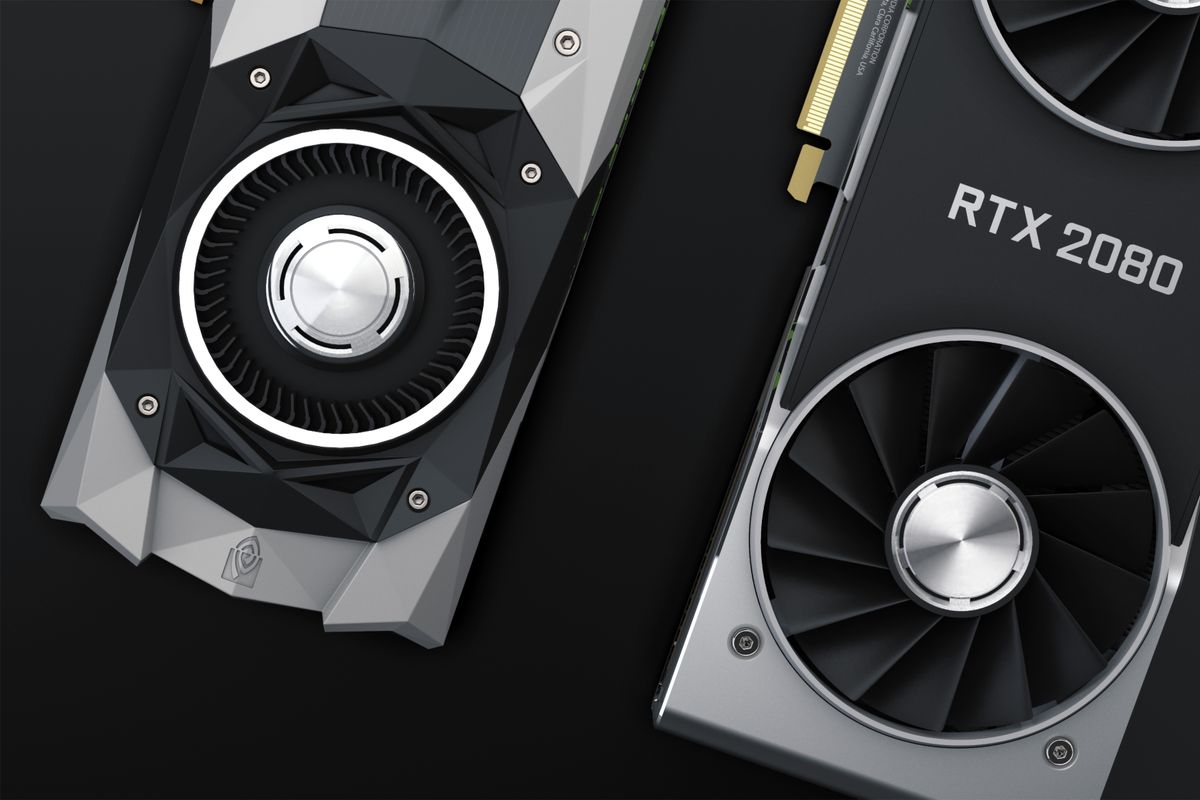
The key question in any warranty dispute involving heat is whether the component was operated within its published specification. A temperature log answers this question. Here are the official limits for current-generation hardware:
| Component | Official Temp Limit | Throttle Point | Notes |
|---|---|---|---|
| Intel Core i9-14900K | Tjmax 100°C | 100°C | Stock settings within spec at any temp below this |
| Intel Core i7-13700K | Tjmax 100°C | 100°C | Intel states sustained near-max temps are not cause for concern |
| AMD Ryzen 9 7950X | Tjmax 95°C | 95°C | AMD considers 95°C normal under sustained boost |
| AMD Ryzen 5 7600X | Tjmax 95°C | 95°C | Same; high idle temps common by design |
| NVIDIA RTX 4090 | 90°C core max | ~83°C hotspot trigger | GPU-Z reports both core and hotspot separately |
| NVIDIA RTX 4070 | 90°C core max | ~83°C hotspot | Standard NVIDIA thermal target |
| Samsung 990 Pro NVMe | 0–70°C operating | ~70°C throttle | Dynamic Thermal Guard activates at limit |
Intel's own temperature documentation states: "In sustained workloads, it's possible the processor will operate at or near its maximum temperature limit. Being at maximum temperature while running a workload isn't necessarily cause for concern." This is the manufacturer stating explicitly that near-max temperatures are expected under load — not a warranty violation.
For a complete reference on normal and dangerous temperature ranges across current hardware, see our CPU temperature guide covering normal ranges and danger zones. For NVMe drive thermal behavior specifically, our guide to SSD temperature throttling and monitoring covers how thermal management works and when it signals a problem.
When the Manufacturer Is at Fault: The Intel Precedent
In August 2024, Intel extended the warranty on all 13th and 14th generation desktop CPUs by two additional years — from 3 years to 5 years — after acknowledging that the company's own eTVB microcode algorithm was pushing CPUs beyond safe voltage levels. The result was accelerated electromigration and oxidation damage that appeared in RMA assessments as thermal degradation.
Users with failed CPUs were initially told their damage was user-caused. Some had already been denied through the standard RMA process before Intel acknowledged the manufacturing defect. Intel subsequently advised denied users to contact support again for re-evaluation.
This case is important for two reasons. First, it demonstrates that what an RMA department interprets as thermal abuse can be a manufacturing defect — and without baseline temperature data, there is no way to distinguish the two. Second, it shows that continuous monitoring data would have been directly relevant: logs showing elevated temperatures under stock settings, with no overclock, on a machine enrolled in monitoring before the failure, provide exactly the evidence needed to support a manufacturing-defect claim.
The Intel firmware issue is also covered in our BIOS and firmware update guide for hardware health, which explains why firmware-level problems can cause hardware damage that looks like thermal abuse.
What a Temperature Log Proves — and What It Doesn't
A temperature log is evidence, not proof. Understanding the distinction matters before you use one in a warranty dispute.
What a continuous temperature log can demonstrate:
- The component was operated within or outside published specifications over a documented period
- Temperatures rose gradually before failure, suggesting progressive degradation rather than a sudden user-caused event
- Thermal throttle events occurred before the failure, potentially indicating a cooling deficiency predating any user action
- Operating conditions were normal for months before an anomaly appeared — supporting the argument that user behavior did not change
- The user responded to alerts proactively, documenting responsible ownership
What a temperature log cannot prove:
- Root cause — high temperatures could result from dust accumulation, an inadequate cooler, a defective cooler bearing, a manufacturing defect, or user-caused airflow restriction. The log records the symptom, not the cause.
- Physical damage assessment — burn marks, warped PCB, fused contacts, and discolored thermal paste are what RMA technicians primarily inspect. Physical evidence overrides software logs in most cases.
- Chain of custody — a locally generated HWiNFO CSV file can be edited. A manufacturer's legal team can raise this objection. A log file stored in a cloud monitoring system with server-side timestamps and no user write access cannot be altered after the fact.
Why cloud-stored logs carry more evidentiary weight: GGFix stores every machine's sensor readings in Firebase with server-side timestamps. The log exists on infrastructure the user cannot access or modify. That tamper-evident structure is materially different from a CSV file on the user's own drive. In a consumer arbitration or small claims context, the difference matters.
Your Rights in the EU and Denmark
Most consumers in warranty disputes pursue the wrong party. In the EU, your statutory warranty rights run against the seller — the retailer you bought from — not the manufacturer. Intel does not owe you a statutory warranty under EU law. Your retailer does.
EU Directive 2019/771 establishes a minimum 2-year conformity guarantee for goods. If a product does not conform to its description and the defect becomes apparent within 2 years of delivery, the seller must remedy it by repair, replacement, or refund. This right cannot be contractually excluded or reduced below the 2-year floor.
Denmark goes further. Under Danish consumer law (implementing the directive), within the first 12 months after purchase, any defect is presumed to have existed at the time of delivery. The seller must prove the defect was caused by the buyer's misuse — the buyer does not need to prove a manufacturing fault.
In a practical warranty dispute scenario:
- A GPU fails at month 9. The retailer cites ASUS's warranty saying "thermal damage from improper use."
- Under Danish law: the retailer must prove you misused it. You do not need to prove ASUS built a defective card.
- A GGFix monitoring report showing 9 months of normal operating temperatures — no sustained overheating, no anomalous voltage readings, no spikes above rated spec — is strong evidence the 12-month presumption has not been rebutted.
After 12 months and through 24 months, the burden shifts back to the consumer to show the defect existed at delivery. Temperature trend data showing a progressive anomaly (temperatures rising abnormally before failure, on stock settings) supports this argument.
The practical implication: when you have a warranty dispute for hardware purchased in Denmark, submit your claim to the retailer in writing, citing §80 of the Danish Sale of Goods Act (Købeloven) and your rights under the 2-year statutory guarantee. Only escalate to the manufacturer's own RMA system after exploring this route.
Real Cases: What Happened When Claims Were Denied
Samsung 980 Pro — sticker removal denial. A user removed the M.2 drive's product label to install an aftermarket heatsink, reducing operating temperatures. Samsung denied the warranty claim citing label tampering. The user's intent was to improve thermal management — the outcome was a voided warranty. Samsung's policy is clear and worth knowing before you install any M.2 heatsink: leave the label intact.
Gigabyte RX 5500 XT — fan failure denial. A user's GPU fan stopped spinning under load, causing thermal throttling and overheating. Gigabyte denied the RMA, attributing the failure to the user's operating environment rather than a manufacturing defect in the fan motor. Without temperature logs documenting that the system ran normally before the fan stopped, there was no way to show the failure was not user-caused.
Intel 13th/14th Gen — manufacturer fault eventually acknowledged. Thousands of RMAs were initially denied before Intel publicly confirmed the eTVB microcode defect in mid-2024. Users with logs showing elevated temps on stock settings, with no overclocking, had a stronger position when re-submitting claims. Intel explicitly advised denied users to contact support again for re-evaluation under the extended 5-year warranty program.
The pattern across all three cases: manufacturers look for physical evidence of misuse first. Temperature logs matter most in the borderline cases where physical evidence is absent and the dispute comes down to "was this operating within spec?"
Building a Temperature Documentation Trail Before You Need It
The time to set up temperature logging is not after a failure. By then, the pre-failure history is gone.
What to log at minimum: CPU core temperatures (all cores, max and average), GPU core temperature, GPU hotspot temperature, NVMe drive temperatures, CPU and GPU fan RPMs, CPU and GPU power draw, and thermal throttle event flags. Throttle events should be indexed separately — they are the timestamped records most directly relevant to a warranty dispute.
Export format: HWiNFO64 exports sensor logs to timestamped CSV. This is the format PC system integrators like XMG explicitly request from customers before processing support cases — it has established de facto standing in the industry. AIDA64 exports to CSV, XML, and HTML. Neither has been formally accepted as a standard by any manufacturer, but both produce objective, timestamped records.
How long to keep logs: Full warranty period plus 6 months. For EU consumers, the minimum is 2 years and 6 months. For Intel/AMD boxed CPUs with 3-year warranties or ASUS ROG GPUs with 3-year EU warranties, retain through the full 3-year period.
The fleet and business context: For IT managers and MSPs handling hardware across multiple machines, manual HWiNFO exports per machine are not a realistic workflow. GGFix monitors every connected machine continuously, retains sensor history in cloud storage with server-side timestamps, and can generate per-machine health reports covering any time period. A warranty dispute on a specific machine produces a downloadable record of that machine's entire monitoring history — CPU temperatures by day, GPU hotspot trends, throttle event log — without any manual preparation. This is the documentation workflow that scales to a fleet. The approach to building this into a proactive IT strategy is covered in our reactive vs. proactive IT cost guide.
Frequently Asked Questions
Can a manufacturer void my warranty just because temperatures were high?
Not automatically. The major CPU and GPU manufacturers exclude damage caused by operating outside published specifications, using inadequate cooling, or physical modification — not high temperatures per se. The relevant specification is the component's Tjmax (for CPUs) or maximum rated operating temperature (for GPUs). If a CPU runs at 92°C on stock settings with a stock cooler, it is operating within Intel's or AMD's published specification. Whether that temperature contributed to failure is a separate question that manufacturers can contest, but they cannot simply cite a high temperature reading as automatic grounds for denial.
What is TDP and does it set a warranty temperature limit?
TDP (Thermal Design Power) is a wattage figure — it describes how much heat a cooling solution must dissipate, not what temperature is safe. A CPU with a 125W TDP does not have a 125°C limit. The temperature limit is Tjmax, which for most current Intel and AMD desktop CPUs is 95–100°C. Running below Tjmax at stock settings is within specification regardless of the TDP figure.
Does replacing thermal paste void a CPU or GPU warranty?
For CPUs: Intel and AMD do not void warranty solely for thermal paste replacement, provided no physical damage occurs during the process and no overclocking modifications are made. For GPUs: disassembly to replace thermal paste creates risk because manufacturers can cite evidence of disassembly (screw marks, seal tampering) as grounds for denial, regardless of whether the paste replacement caused any damage. Some AIB partners are more lenient than others. NVIDIA Founders Edition cards are most likely to create complications; AIB partner policies vary.
How do I appeal a denied hardware warranty claim in the EU?
First, submit your claim in writing to the retailer — not the manufacturer — citing your statutory rights under EU Directive 2019/771 and the 2-year conformity guarantee. In Denmark, cite Købeloven §80. Include any temperature log data, purchase receipt, and a description of the failure. If the retailer rejects the claim, escalate to the national consumer disputes body — in Denmark, this is Forbrugerklagænævnet (the Consumer Complaints Board), which handles disputes involving amounts over 1,110 DKK. Manufacturer RMA departments are not the only or necessarily the best avenue.
How long should I keep temperature logs for warranty protection?
The minimum useful retention period is the product's warranty period plus 6 months. For most consumer hardware in the EU, this means 2 years and 6 months (covering the statutory warranty period). For products with longer commercial warranties — Intel/AMD boxed CPUs (3 years), ASUS ROG GPUs (3 years in the EU) — retain logs through the full commercial warranty period. A year of compressed sensor data from a single machine requires approximately 5–10 MB of storage, making long-term retention practical at negligible cost.
Is your PC throttling under load without telling you?
GGFix watches every temperature sensor — including the GPU hotspot most tools hide — and catches thermal problems before components degrade. AI alerts name which workload caused the spike.
- 3-day free trial — no credit card, 1 machine included
- Installs silently as a Windows Service (2 minutes)
- 50+ sensors + top 25 processes monitored every minute
- Auto-decodes BSODs and Event IDs 41 / 1001 / 219 / WHEA
- AI names the exact app that caused any crash or spike
- Telegram or email alerts in under 10 seconds
| Scenario | Typical cost (USD) |
|---|---|
| CPU/GPU replacement after thermal failure | $400 – $2,500 |
| Emergency technician callout | $120 – $350 |
| Lost workday (thermal throttling undetected) | $200 – $600 |
| Thermal paste + cleaning (early warning) | $30 – $100 |
| GGFix monitoring (per machine / month) | $20 |
| GGFix monitoring (per machine / year — 2 months free) | $200 |
Early warning is the cheapest insurance you can buy. GGFix catches problems when the fix is still cheap — and names the exact app, sensor, or BSOD code responsible.
On-site PC & laptop repair · Copenhagen
In Copenhagen with this exact problem? GGFix fixes it hands-on — often cheaper than replacing the machine.
Fixed prices from 399 DKK for graphics card repair, all brands, on-site or drop-off in Ishøj — with an honest diagnosis before you commit to anything.
See graphics card repair pricesWriting about hardware monitoring, fleet management, and keeping machines alive. Powered by GGFix.
Related Articles
GPU Artifacts: What They Look Like and What Causes Them
GPU artifacts range from fixable driver issues to signs of permanent VRAM damage. Here is how to identify which type you have, what temperatures trigger them, and whether your graphics card is recoverable.
PC Maintenance Schedule: The Complete Checklist (Daily to Annual)
The complete PC maintenance schedule for businesses — weekly, monthly, quarterly, and annual tasks with time estimates, environment adjustments, and the real cost of skipping it.
NVIDIA RTX 4060–5090: Temperature Limits by Model
RTX 4090 and RTX 5090 have different temperature limits. The hotspot temperature runs 15-25°C above the core temperature every card reports. Most monitoring setups only watch the core — which means most monitoring misses the actual failure threshold. Here are the exact numbers for every RTX card.
[ free 3-day trial · no credit card ]
Know before it breaks.
GGFix installs in 2 minutes and starts watching your hardware immediately — CPU temps, GPU load, disk health, fan speeds, and 50+ sensors. AI tells you what's wrong before it causes damage.