Intel vs AMD: Thermal Limits Compared (2024-2026)
Your CPU might be throttling right now and you'd never know.
Sustained temperatures above 85°C shorten CPU lifespan and tank performance — silently. GGFix watches every sensor (including the hotspot most tools hide) and alerts you the moment a reading drifts above its 30-day baseline, not just when it crosses a static threshold.
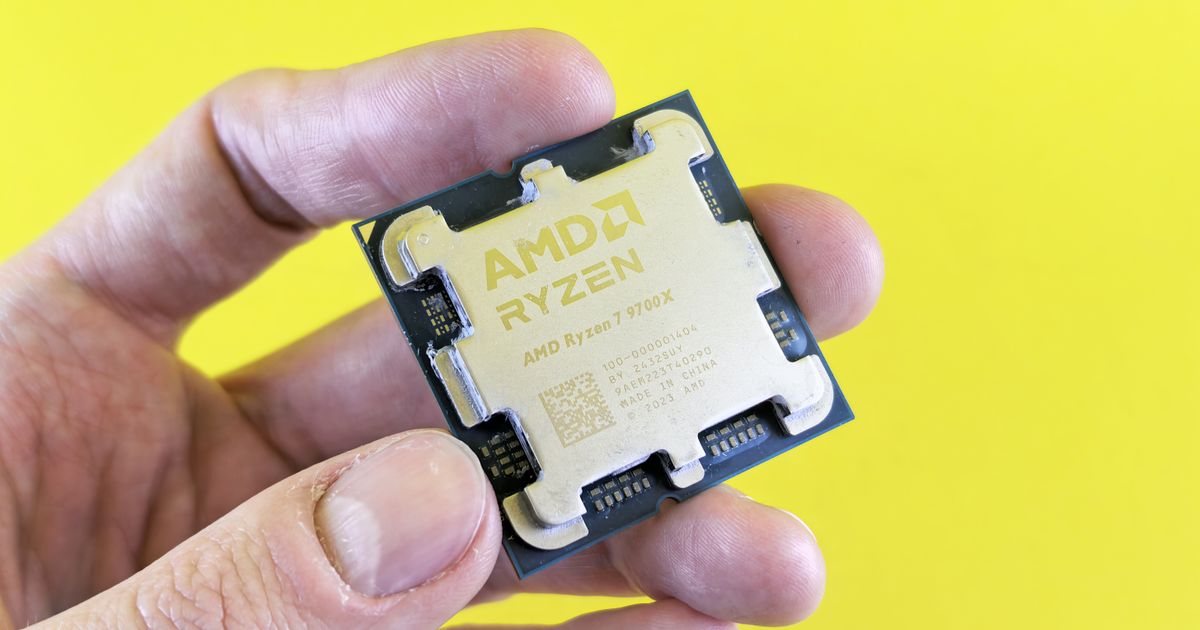
Start 3-Day Free TrialNo card requiredIntel and AMD have fundamentally different philosophies about thermal limits. Intel CPUs are designed to throttle well before their maximum temperature, protecting silicon by trading performance for safety margins. AMD Ryzen 7000 and 9000 series CPUs are engineered to run right at their maximum temperature continuously — 95°C is not a warning sign on a Ryzen 9 9950X, it is the chip operating exactly as AMD designed it.
This difference matters enormously for hardware monitoring. An alert set at "CPU above 90°C" will fire constantly on an AMD Ryzen system doing nothing wrong, while the same threshold might give you false comfort on a deteriorating Intel system that will degrade before it ever reaches 90°C. Our complete PC temperature reference covers all components, but understanding the Intel vs AMD split is foundational to setting up meaningful CPU temperature monitoring.
The Numbers: TjMax by Generation
TjMax (temperature junction maximum) is the highest temperature a CPU is officially rated to reach before protection mechanisms engage. Every CPU has one. They are not the same across platforms.
Intel — Current Generation
| Processor | TjMax | Notes |
|---|---|---|
| Core i9-14900K / 14900KF / 14900KS | 100°C | 14th gen Raptor Lake Refresh |
| Core i7-14700K / 14700KF | 100°C | 14th gen |
| Core i5-14600K / 14600KF | 100°C | 14th gen |
| Core i9-13900K / 13900KS | 100°C | 13th gen Raptor Lake |
| Core Ultra 9 285K (Arrow Lake) | 105°C | New platform, higher TjMax |
| Core Ultra 7 265K (Arrow Lake) | 105°C | |
| Core Ultra 5 245K (Arrow Lake) | 105°C |
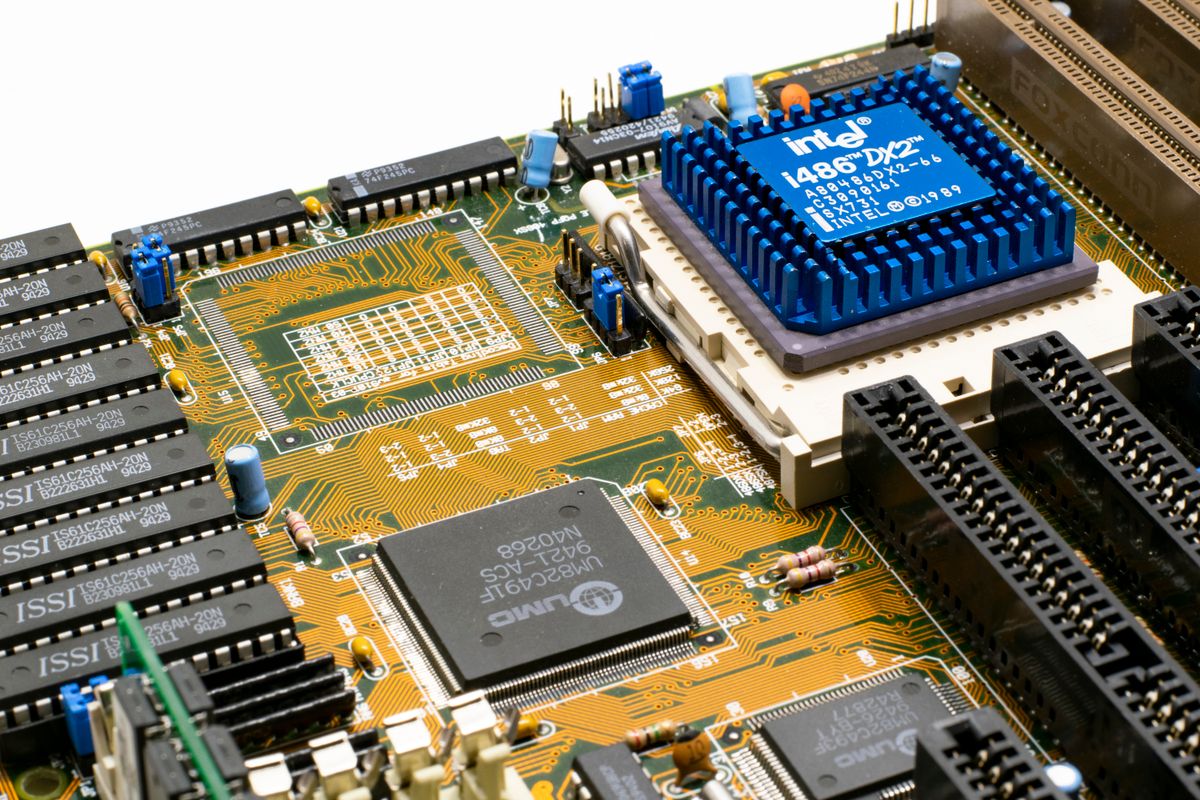
According to Intel's processor thermal documentation, TjMax represents the point at which the CPU's thermal control circuit engages. Modern Intel CPUs implement a multi-stage protection: Thermal Velocity Boost (TVB) begins reducing boost clocks before TjMax is reached, then PROCHOT throttling engages as the CPU approaches TjMax.
The Intel 13th/14th Gen issue (2024): Intel confirmed in mid-2024 that a microcode bug in 13th and 14th generation K/KF/KS processors was causing elevated operating voltages that led to permanent silicon degradation over time. The CPU would run within nominal temperatures while the voltage-related degradation accumulated silently. Intel issued microcode update 0x12B to fix the voltage delivery algorithm and extended warranties to 5 years on affected SKUs. Machines running these CPUs without the microcode patch from mid-2023 through mid-2024 may have sustained irreversible degradation.
AMD — Current Generation
| Processor | TjMax | Notes |
|---|---|---|
| Ryzen 9 9950X | 95°C | Zen 5, flagship |
| Ryzen 9 9900X | 95°C | Zen 5 |
| Ryzen 7 9700X | 95°C | Zen 5 |
| Ryzen 9 7950X | 95°C | Zen 4, designed to run at this continuously |
| Ryzen 7 7700X | 95°C | Zen 4 |
| Ryzen 7 7800X3D | 89°C | 3D V-Cache — lower limit due to cache thermal sensitivity |
| Ryzen 9 7950X3D | 89°C | 3D V-Cache |
AMD's documentation explicitly states that Ryzen 7000 and 9000 series desktop CPUs are engineered to operate at 95°C TjMax continuously without any reduction in lifespan or reliability. This is not a limitation to stay below — it is a target the processor actively boosts toward. The CPU's Precision Boost algorithm continuously adjusts clock speeds to extract maximum performance while keeping temperature at or near TjMax.
The exception is X3D (3D V-Cache) variants: the stacked cache die is more thermally sensitive, requiring AMD to set a lower 89°C TjMax. Exceeding this on X3D chips poses a real risk to the cache layer.
How the Throttling Behavior Differs
The same TjMax number means different things on Intel and AMD platforms because the path to that number is different.
Intel's Multi-Stage Throttling
Intel CPUs throttle in stages as temperature rises:
- Turbo Boost / Thermal Velocity Boost — Below 80-85°C, the CPU boosts aggressively to maximum turbo frequencies
- TVB reduction — As temperature climbs toward TjMax, TVB begins trimming boost clocks to stay within thermal headroom
- PROCHOT — At TjMax (100°C), the PROCHOT signal engages and clock speed drops dramatically to bring temperature down
- Emergency shutdown — If PROCHOT cannot cool the CPU below TjMax, the system triggers an emergency shutdown
In practice, an Intel CPU that runs at 95°C sustained is working hard to stay below PROCHOT. It is not running optimally at 95°C — it is thermally limited. An Intel CPU that idles at 95°C has a serious problem.
AMD's "Run at the Limit" Design
AMD Precision Boost works differently. The algorithm continuously raises clock speeds as long as temperature, voltage, and current are within acceptable ranges. It does not start reducing clocks until the CPU actually hits TjMax. The result: a Ryzen 9000 CPU will boost to its maximum frequency, generate maximum heat, hit 95°C, and then fine-tune clocks to maintain 95°C continuously. The CPU is running at full performance at 95°C — not throttling to get back below it.
This means:
- A Ryzen CPU at 95°C under load = working correctly
- A Ryzen CPU at 95°C at idle = serious cooling failure
- A Ryzen CPU that never reaches 90°C under load = potentially leaving boost performance on the table
The common mistake: Setting a monitoring alert for "CPU above 90°C" on a Ryzen 9 7950X will generate false alarms during every rendering job, compilation, or video encoding session. The CPU at 94°C is not in distress — it is boosting optimally.
Cooling Requirements by Platform
The different thermal behaviors translate directly into different cooling requirements.
| Platform | Minimum cooler for stock | Recommended for sustained load | Notes |
|---|---|---|---|
| Intel Core i9-14900K (125W PL1, up to 253W PL2) | 240mm AIO | 360mm AIO or high-end tower | PL2 spikes hit 253W; most AIOs struggle sustained |
| Intel Core Ultra 9 285K (125W PL1, up to 250W PL2) | 240mm AIO | 360mm AIO | Similar to 14900K in thermal demand |
| AMD Ryzen 9 9950X (170W TDP) | 280mm AIO | 360mm AIO or NH-D15 equivalent | Higher base TDP than Intel but less power spike |
| AMD Ryzen 9 7950X (170W TDP) | 280mm AIO | 360mm AIO | AMD's design tolerates hitting TjMax; larger cooler just extends boost duration |
| AMD Ryzen 7 7800X3D (120W TDP) | 240mm AIO | 240mm AIO + good case airflow | Lower TDP, but lower TjMax (89°C) means less thermal headroom |
For monitoring purposes: Intel CPUs that sustain temperatures above 85°C for extended periods should be investigated even if they are technically below TjMax. Sustained near-maximum temperature operation accelerates electromigration and was the mechanism behind the 2024 14th gen degradation issues. AMD CPUs that sustain temperatures at 95°C during demanding workloads need no investigation — this is normal. AMD CPUs that hit 95°C doing light tasks (web browsing, document editing) indicate a cooling failure.
What This Means for Monitoring
If you are monitoring a mixed fleet — some Intel, some AMD machines — the critical CPU temperature sensors have to be interpreted differently per platform. Applying the same threshold to both generates noise on AMD machines and may not catch early Intel degradation.
Intel monitoring approach:
- Alert threshold: CPU package above 90°C sustained (above 80°C for sustained all-core loads on 14th gen given the degradation risk)
- Watch for: throttling flags in HWiNFO ("CPU package power limit" throttle active), sustained boost reduction
- Key trend to watch: rising idle temperatures over months, which indicate thermal paste degradation or cooler contact issues
- Historical baseline comparison matters: a 13th/14th gen i9 that ran at 75°C under load last year and now runs at 88°C has lost thermal headroom — investigate
AMD monitoring approach:
- Alert threshold: CPU package above 95°C at idle, OR above 95°C on X3D variants under any condition
- Under load, 90-95°C is normal — no alert needed
- Watch for: Ryzen CPUs that cannot reach 90°C under sustained load on a system that previously did — this can indicate thermal paste dried and the cooler can no longer sustain the heat the chip wants to generate
- The useful AMD alert is not "too hot" — it is "not reaching normal boost temperatures," which indicates the Precision Boost algorithm is being limited
In our monitoring data, the most common AMD false alarm is technicians treating 92°C on a 7950X as a crisis when it is working exactly as designed. The most common Intel miss is not catching gradual 10-15°C temperature rise over 12-18 months that indicates thermal interface degradation building toward throttling.
The 2024 Intel Degradation: A Monitoring Case Study
The Intel 13th/14th gen instability crisis is the most relevant recent event for understanding why monitoring Intel CPUs requires more nuance than monitoring AMD CPUs.
The root cause was a microcode bug that allowed CPUs to request elevated voltages during high-performance states. These voltages were within the chip's safe operating range for short bursts but caused cumulative silicon degradation under sustained high-voltage operation. Temperatures remained within specification throughout — the damage mechanism was voltage, not heat.
This is a failure mode that temperature monitoring alone cannot catch. Voltage monitoring — specifically, watching for elevated CPU core voltages during workloads — provides an early signal. A Core i9-14900K drawing 1.45V+ on its core voltage during sustained all-core loads is a warning sign that temperature alone never surfaces.
The lesson for monitoring: on Intel platforms, tracking voltage alongside temperature provides substantially more failure-prediction capability than temperature alone. On AMD platforms, voltage is less of a concern because Precision Boost's voltage management is more conservative at stock settings.
Quick Reference: What's Normal
| Scenario | Intel (14th gen i9) | AMD (Ryzen 9 9950X) |
|---|---|---|
| Idle temperature | 30-45°C | 35-50°C |
| Light office work | 45-65°C | 50-70°C |
| Gaming | 70-90°C | 75-95°C |
| All-core sustained load (rendering) | 85-100°C | 90-95°C (by design) |
| Alert threshold — too hot | >90°C sustained | >95°C at idle; >95°C on X3D |
| Alert threshold — degraded | Rising idle temp trend | Not reaching normal boost temps |
Frequently Asked Questions
Q: Is 95°C safe for a Ryzen CPU?
Yes, for Ryzen 7000 and 9000 series non-X3D CPUs. AMD explicitly designed these processors to operate at 95°C TjMax continuously. This is not a warning sign — it is the Precision Boost algorithm extracting maximum performance. If you are seeing 95°C on a Ryzen 9 under a rendering workload, the CPU is behaving exactly as designed. The exception is X3D variants (7800X3D, 7950X3D), which have a lower TjMax of 89°C due to the 3D V-Cache layer's thermal sensitivity.
Q: Why does my Intel CPU run hotter than my AMD CPU even though it has a lower TjMax?
Intel CPUs in the 13th/14th generation have very high power limits — particularly the PL2 (Power Limit 2) burst state, which can reach 250W+ on i9 models. This enormous power draw generates extreme heat that requires top-tier cooling to manage. AMD Ryzen chips have high base TDPs too (170W for the 9950X) but the constant power demand is more predictable than Intel's burst behavior. AMD's design runs hotter in Celsius terms because the TjMax is only 95°C, but the power draw and heat generation are often more manageable in practice.
Q: Should I be worried about the Intel 13th/14th gen instability problem?
If you have an i7 or i9 K/KF/KS processor from the 13th or 14th generation, check your BIOS version and apply the latest update (which should contain Intel microcode 0x12B or later). The microcode patch fixes the voltage delivery algorithm going forward. If your system ran without the patch for an extended period under sustained high-performance workloads, some degradation may have already occurred — symptoms include progressive instability under load, crashes during compilation or gaming, and lower sustained performance than the CPU achieved when new.
Q: What cooler do I need for an AMD Ryzen 9 9950X?
For stock operation with default power limits, a 280mm or 360mm AIO is recommended, or an equivalent high-end air cooler (Noctua NH-D15, be quiet! Dark Rock Pro). AMD's Precision Boost uses the thermal headroom you provide — a better cooler means the CPU runs at maximum boost frequency for longer before heat limits it. With a 240mm AIO, the 9950X will still hit TjMax quickly under all-core load and then manage performance from that thermal ceiling. With a 360mm AIO, it sustains higher frequencies for longer. Neither scenario is "wrong" — it is a performance tuning tradeoff.
Q: How do I monitor an Intel CPU differently from an AMD CPU?
For Intel: set alerts at 85-90°C for 13th/14th gen (given the degradation risk from sustained near-TjMax operation), watch CPU core voltage during load workloads (elevated voltage is a degradation risk signal), and trend idle temperatures over months. For AMD non-X3D: set alerts only for idle temperatures above 95°C or X3D temperatures above 89°C at any load; under workload, 90-95°C is normal. Watch for the opposite pattern on AMD — a machine that suddenly cannot reach its normal 90-95°C under load may have a thermal interface failure preventing the boost algorithm from operating normally.
Q: Does the Intel vs AMD thermal difference affect how long CPUs last?
The long-term reliability picture is complex. AMD's design philosophy of running at TjMax is intentional and engineered for the silicon's lifespan. Intel's lower TjMax with headroom for throttling protects the chip but creates the voltage-related degradation risk seen in 13/14th gen. At stock settings with adequate cooling and current microcode, both platforms have similar multi-year reliability expectations. The risk factors differ: AMD X3D chips are more thermally sensitive and cooling failures are more immediately damaging; Intel 13/14th gen chips without the microcode update accumulated voltage stress regardless of temperature.
Is your PC throttling under load without telling you?
GGFix watches every temperature sensor — including the GPU hotspot most tools hide — and catches thermal problems before components degrade. AI alerts name which workload caused the spike.
- 3-day free trial — no credit card, 1 machine included
- Installs silently as a Windows Service (2 minutes)
- 50+ sensors + top 25 processes monitored every minute
- Auto-decodes BSODs and Event IDs 41 / 1001 / 219 / WHEA
- AI names the exact app that caused any crash or spike
- Telegram or email alerts in under 10 seconds
| Scenario | Typical cost (USD) |
|---|---|
| CPU/GPU replacement after thermal failure | $400 – $2,500 |
| Emergency technician callout | $120 – $350 |
| Lost workday (thermal throttling undetected) | $200 – $600 |
| Thermal paste + cleaning (early warning) | $30 – $100 |
| GGFix monitoring (per machine / month) | $20 |
| GGFix monitoring (per machine / year — 2 months free) | $200 |
Early warning is the cheapest insurance you can buy. GGFix catches problems when the fix is still cheap — and names the exact app, sensor, or BSOD code responsible.
On-site PC & laptop repair · Copenhagen
In Copenhagen with this exact problem? GGFix fixes it hands-on — often cheaper than replacing the machine.
Fixed prices from 399 DKK for PC cleaning and thermal-paste service, all brands, on-site or drop-off in Ishøj — with an honest diagnosis before you commit to anything.
See PC cleaning and thermal-paste service pricesGGFix Technical Team
Writing about hardware monitoring, fleet management, and keeping machines alive. Powered by GGFix.
Related Articles
GPU Artifacts: What They Look Like and What Causes Them
GPU artifacts range from fixable driver issues to signs of permanent VRAM damage. Here is how to identify which type you have, what temperatures trigger them, and whether your graphics card is recoverable.
PC Maintenance Schedule: The Complete Checklist (Daily to Annual)
The complete PC maintenance schedule for businesses — weekly, monthly, quarterly, and annual tasks with time estimates, environment adjustments, and the real cost of skipping it.
NVIDIA RTX 4060–5090: Temperature Limits by Model
RTX 4090 and RTX 5090 have different temperature limits. The hotspot temperature runs 15-25°C above the core temperature every card reports. Most monitoring setups only watch the core — which means most monitoring misses the actual failure threshold. Here are the exact numbers for every RTX card.
[ free 3-day trial · no credit card ]
Know before it breaks.
GGFix installs in 2 minutes and starts watching your hardware immediately — CPU temps, GPU load, disk health, fan speeds, and 50+ sensors. AI tells you what's wrong before it causes damage.